Previous Design
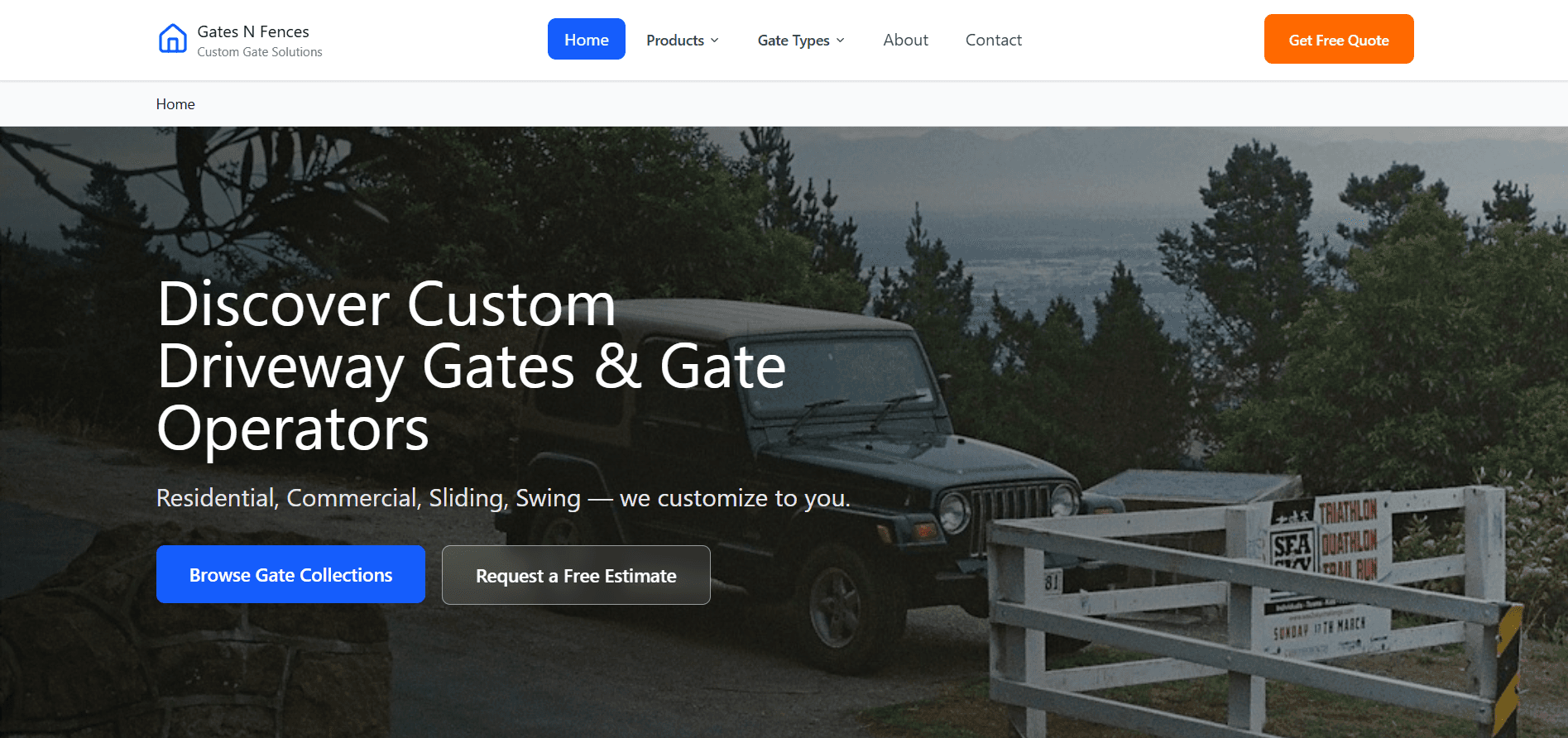
Introduced strong visual hierarchy with clear buttons and headings.

My Redesign
Wireframing
Heuristic Evaluation
User Research
HCI Principles
Web Design
Accessibility
Interaction Design Rules Case Study: Gates & Fences Website Redesign
Timeline: October 2025 ~ November 2025
This case study is based on my Interaction Design Rules assignment, where I analysed & redesigned the existing Gates N Fences website. The goal was to identify usability issues using seven key interaction design principles and propose a modern redesign that improves clarity, usability, and overall user experience.
Team
Group of 2 (Sakshi Jaju & Shourya Rami)
Role
Masters Students - Human Centered Computing
Skills
UI Redesign
User Flow Mapping
Wireframing
Design Principles
Prototyping
Heuristic Evaluation
User Research
Challenges:
Tools
Figma
Canva
FigJam
Google Docs
Colour Pallet Generator
Unsplash Image Generation
The original Gates & Fences website suffered from poor information architecture, inconsistent design patterns, low accessibility scores, and confusing navigation that led to high bounce rates and abandoned carts.
The original site violates multiple HCC and interaction design principles.
Users struggle to:
Locate products easily due to poor visibility and layout hierarchy.
Understand if interactions are successful due to missing feedback.
Identify interactive elements (affordances and signifiers) or predict where actions lead (mapping).
Recall navigation steps (memory) and distinguish sections (consistency).
The redesign aims to bridge the Gulf of Execution and Evaluation by simplifying actions, clarifying feedback, and improving visual cognition.
Problem Statement
The website presents a major usability challenge for new visitors. Users struggle to find products, identify next steps, or understand how to make inquiries or purchases.
Despite having valuable information, the visual overload, poor navigation, and lack of feedback lead to user confusion, abandonment, and low trust in the brand’s digital presence.
This case study is based on my Interaction Design Rules assignment, where I analysed and redesigned the existing Gates N Fences website. The goal was to identify usability issues using seven key interaction design principles and propose a modern redesign that improves clarity, usability, and overall user experience.
Each principle was carefully implemented with measurable improvements
7 HCI Design Principles Applied
1
Visibility
Refers to how easily users can identify available functions and understand what actions are possible at a glance. It ensures users can immediately see what they can do next.
The old website has very low visibility of key information. Important action like “Request a Free Estimate” is hidden inside long text paragraphs. The page has no clear visual focus and uses the same text colour for everything, which makes it hard to scan.
In my redesign, I made the layout much cleaner. I used clear headings, white space, and visual hierarchy to make information stand out. The “Request a Free Estimate” button is placed above the fold in a bold colour so users can notice it instantly. This improves visibility and guides users smoothly through the next step.
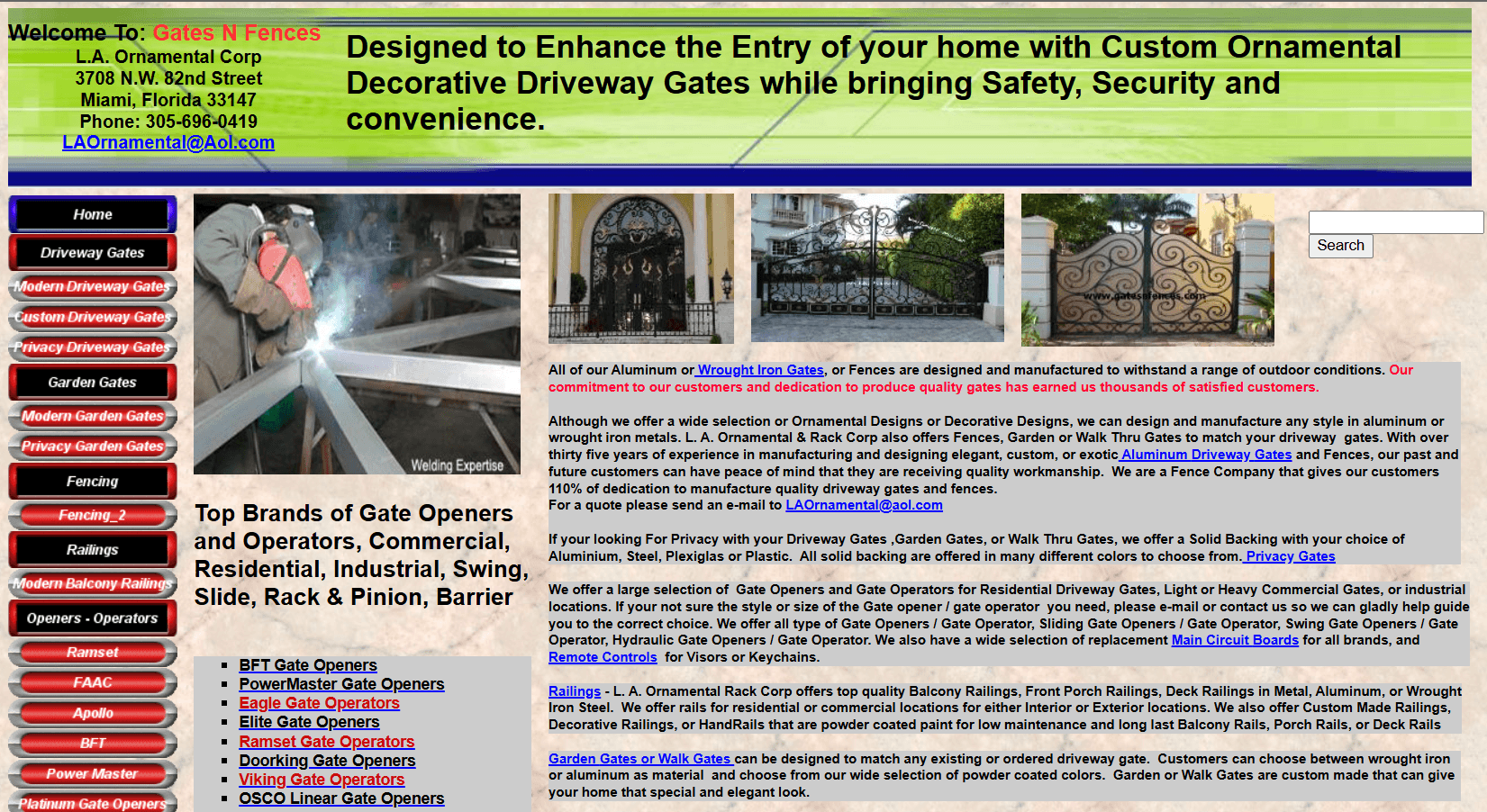
The page has no clear visual focus and uses the same text colour for everything, which makes it hard to scan.
2
Consistency
Ensures that design elements behave and appear in predictable ways throughout the interface. It builds trust and comfort through familiarity.
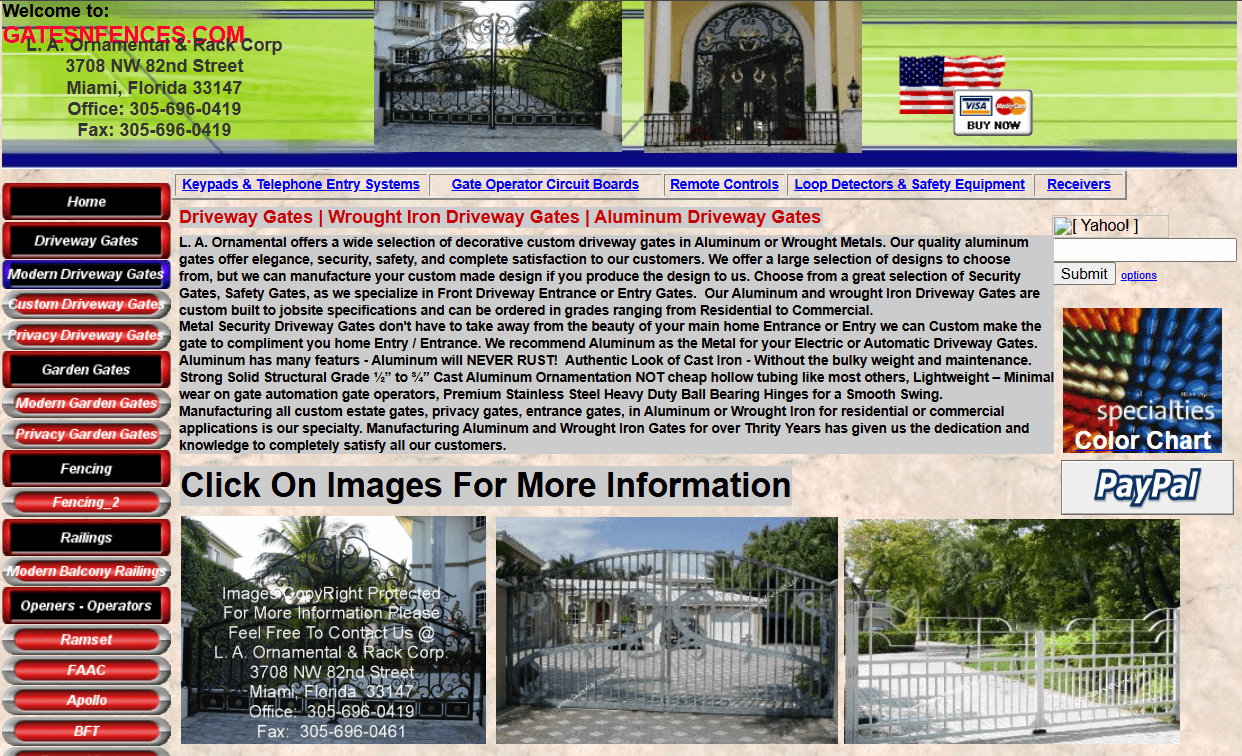
Different card size, font sizes, button colours, and alignment on the product page.
Previous Design
The old website looks inconsistent, products page is irregular. Different fonts, colours, and layout. Because of this, users feel like they are visiting different websites, not one brand.
My Redesign
In my redesign, I created a consistent card design system with uniform typography, button styles, and spacing. This helps the site feel professional and trustworthy, while improving navigation and readability.
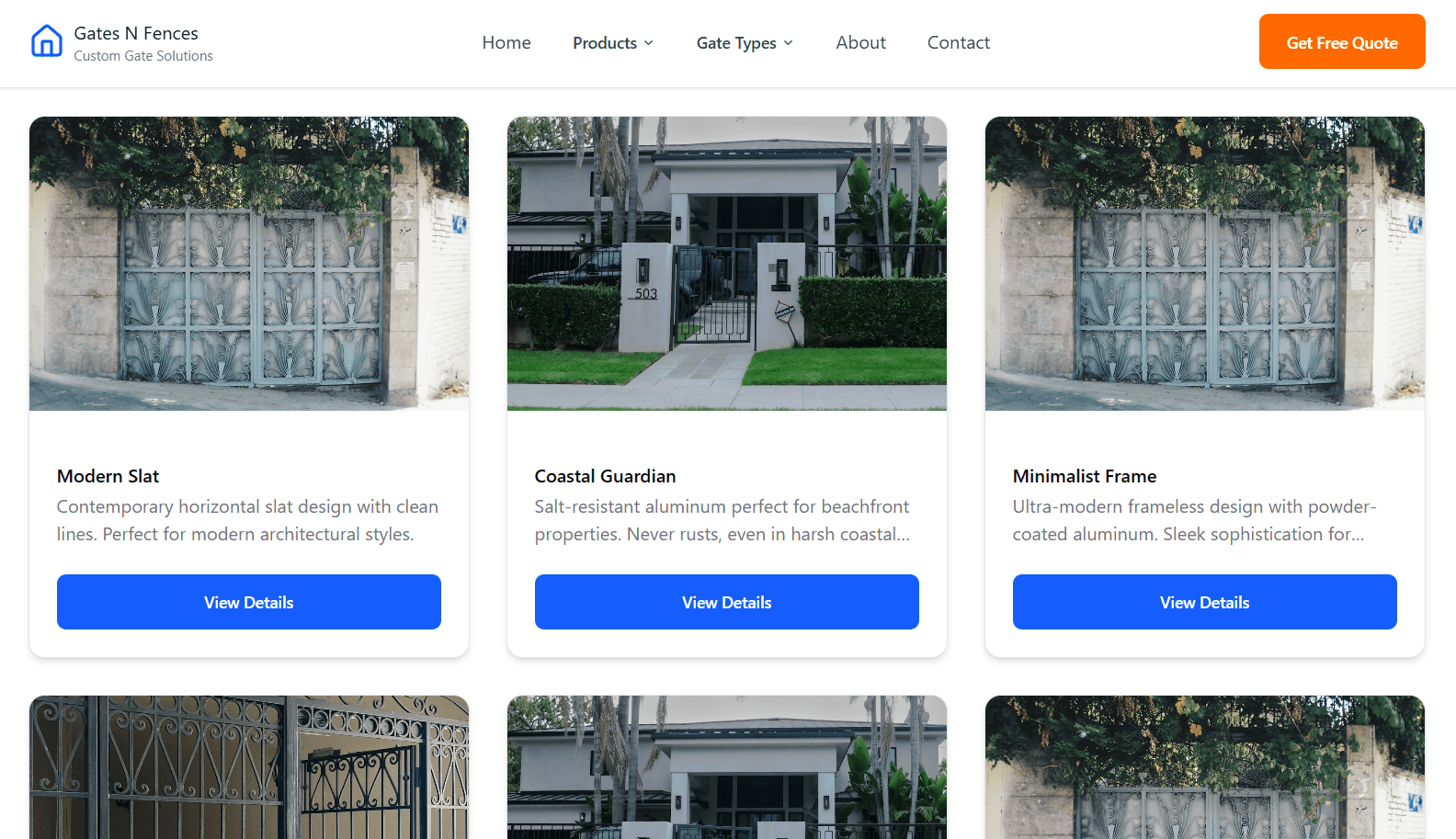
Better and organised card design, consistent font, detailed information, follow the same visual style and grid.
3
Feedback
Ensures that design elements behave and appear in predictable ways throughout the interface. It builds trust and comfort through familiarity.
Previous Design
The old website has an irrelevant payment gateway floating on website which is neither responsive nor give any feedback when clicked. Also creates visual disturbance, confusion among user as no response from the website. Even the blue highlighted which looks like hyperlink are not clickable!
My Redesign
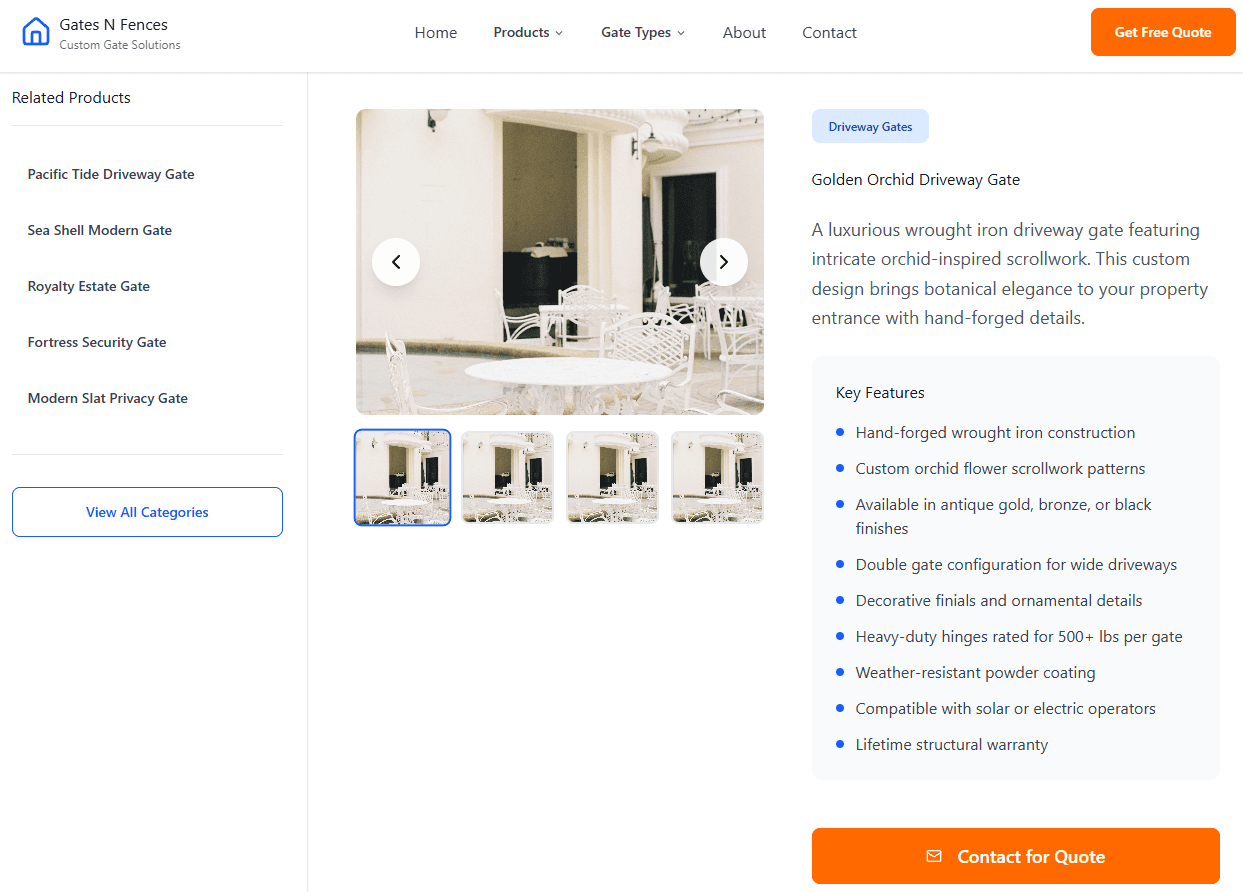
In my redesign, I created a consistent card design system with uniform typography, button styles, and spacing. This helps the site feel professional and trustworthy, while improving navigation and readability.
Introduced active states for buttons, and colour change on submission. Also visual indicators and animations were added to ensure users receive instant responses for their actions.
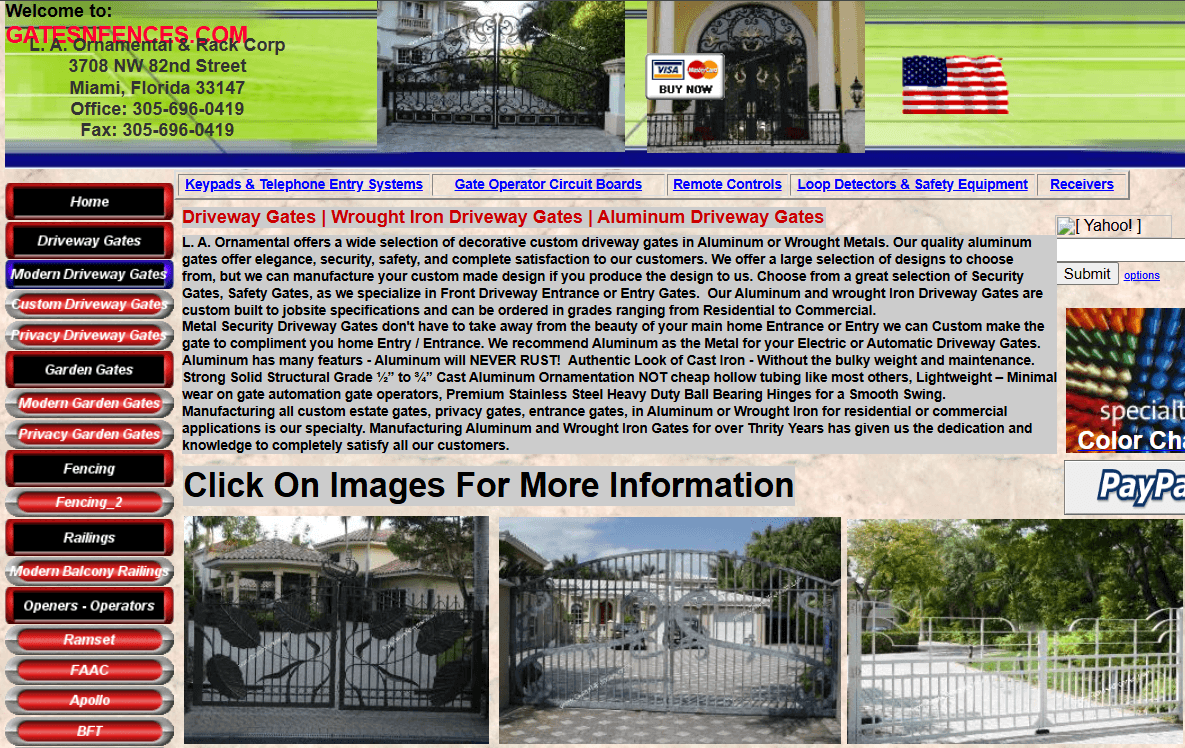
Clicking this button gives no visual response (static page, no animation or confirmation).
4
Constraints
They limit user actions to prevent errors and confusion. They guide users toward valid inputs or paths and block actions that would cause problem
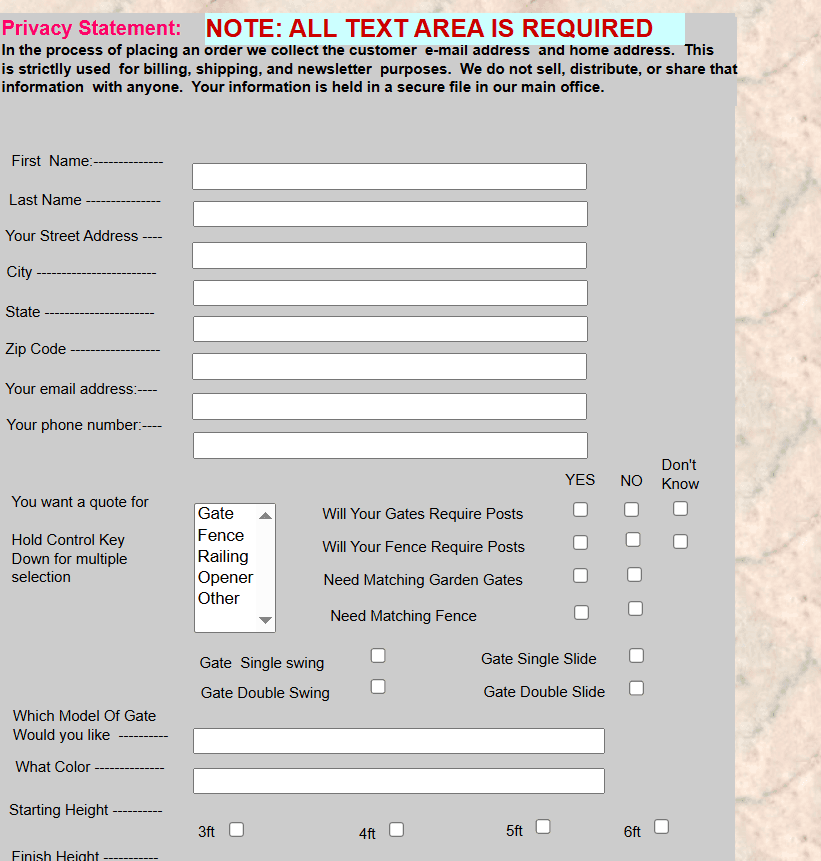
Contact form allows submission without required details, users get stuck and unsure.
Previous Design
The contact form allows users to attempt submission without necessary input fields being filled (e.g., several fields remain blank but users can still press “Submit” or proceed). There is no visible guidance or input validation to prevent incomplete or invalid entries.
My Redesign
In my redesign I introduced strong input constraints: required fields are clearly marked, the submit button remains disabled until minimum information is completed, and if a user tries to proceed without valid input a visual prompt appears (e.g., “Please fill in your email address”). These constraints guide the user into a valid path, reduce mistakes, and increase confidence that their message will reach the business.
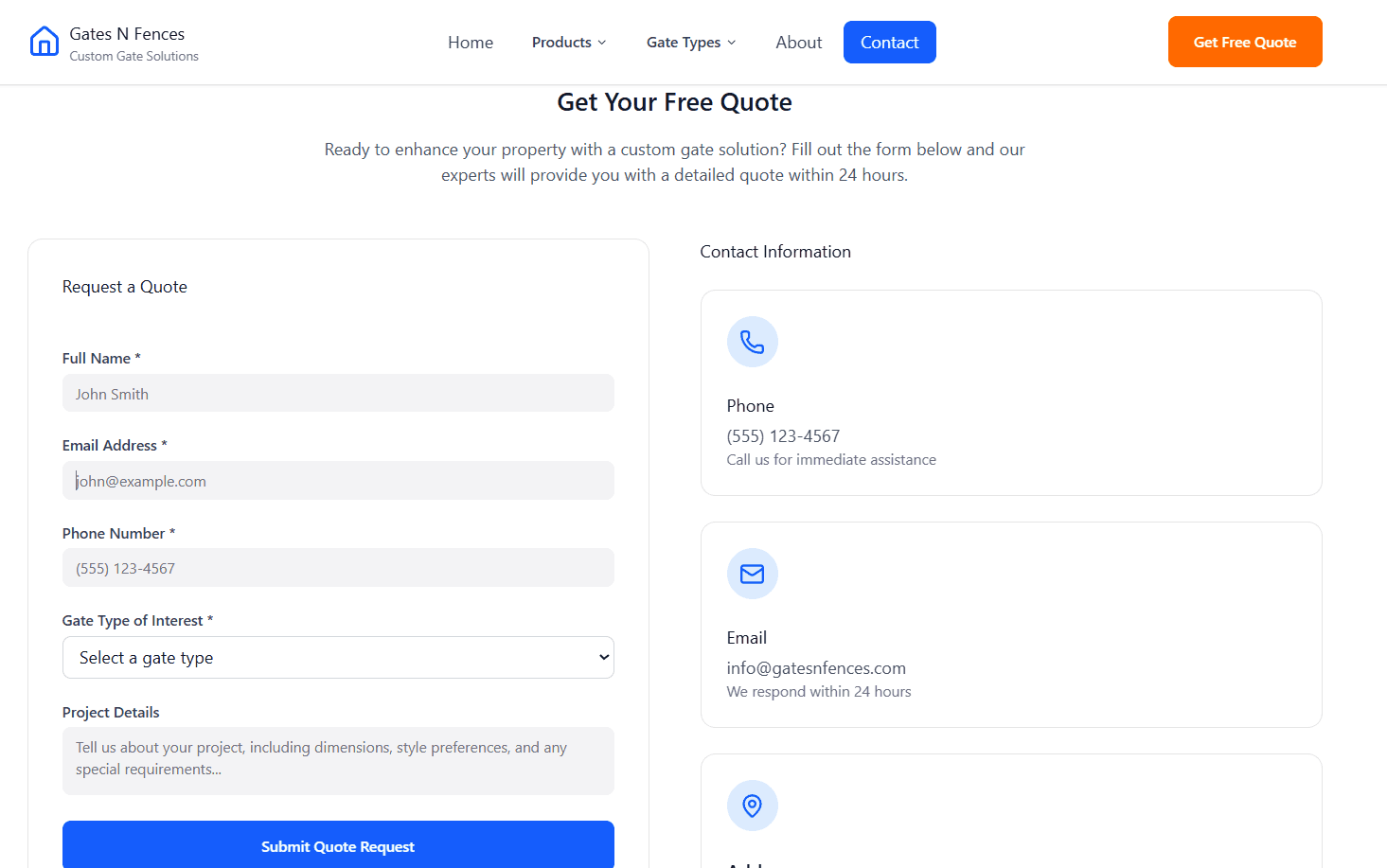
Form clearly marks required fields, disables submission until minimum information is entered, giving user clarity and control.
5
Affordance
They describes how an element’s appearance suggests its function, how it “invites” interaction and helps users understand what they can do without needing written instructions.
Previous Design
On the old website, many interface elements fail to show correct affordance. Product photos and text areas look like they can be clicked, but they are not interactive. This misleads users and creates frustration because the visual design doesn’t match what users expect to do.
My Redesign
In my redesign, I made the affordance of each element clear and direct. Each product is displayed as a distinct card with an image, name, and a visible action button. The cards have subtle shadows and spacing that suggest they are clickable. This makes it obvious how users can interact with the page and where each action leads.
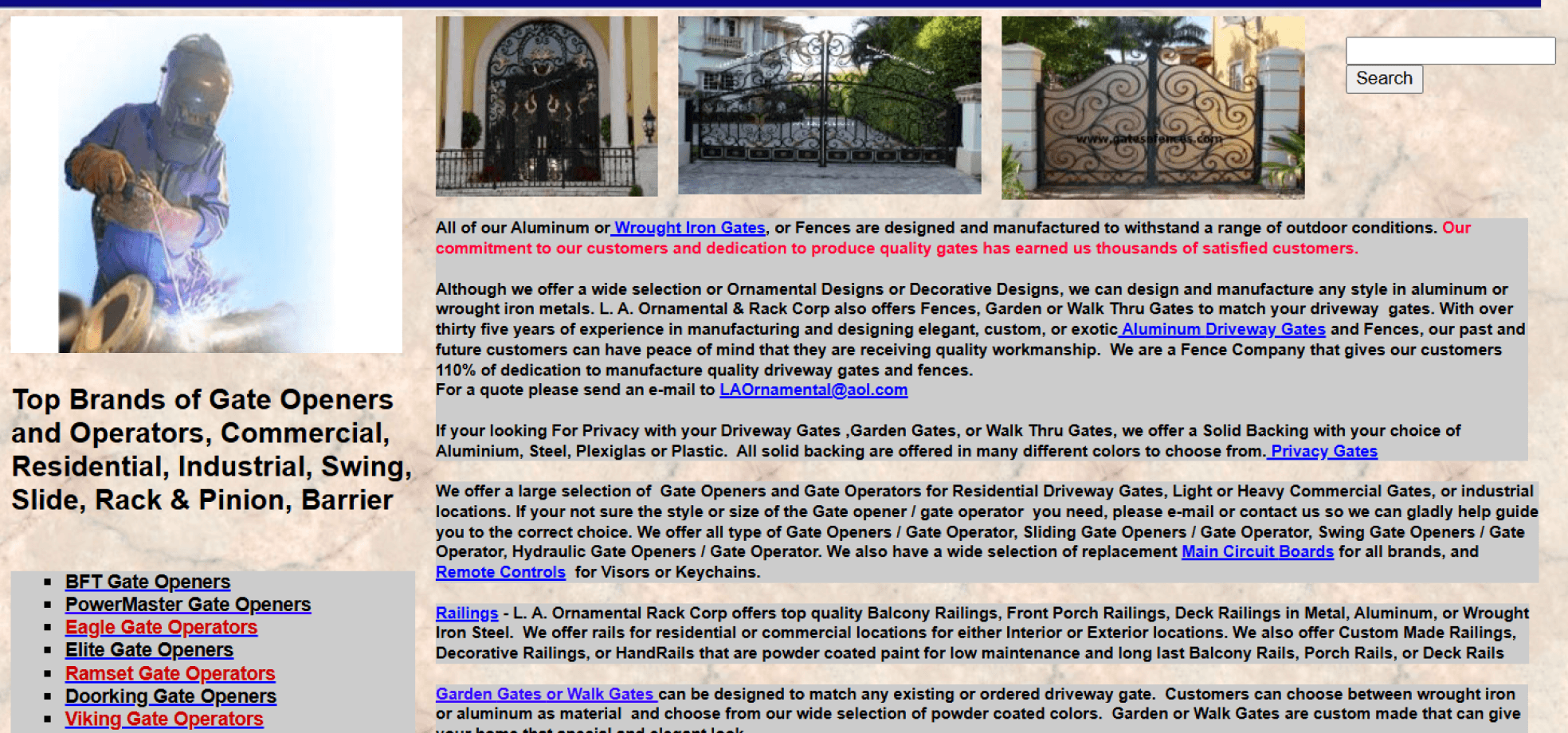
Static images look interactive but lead nowhere, confusing the user.
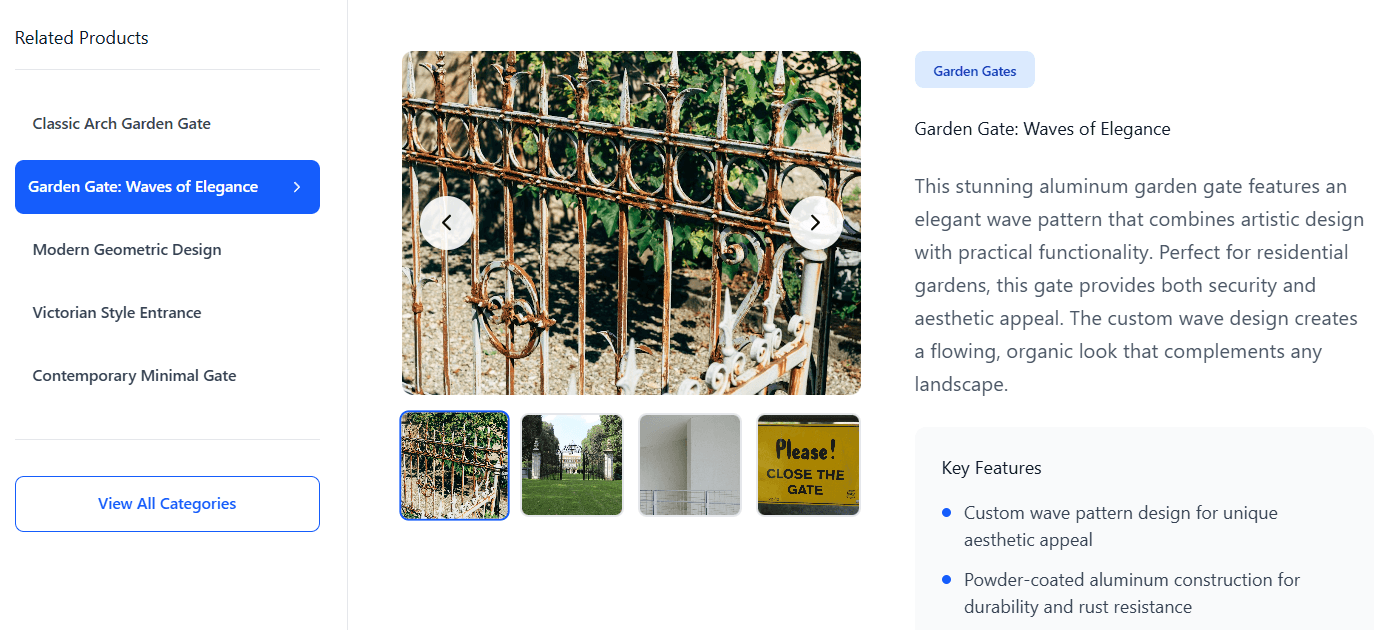
Clear product cards with clickable areas show proper affordance and support expected user actions
6
Signifiers
They are visual indicators that show users where interaction is possible and what kind of action can be taken and guide users to interact intuitively with interface elements.
Previous Design
The Header is at the bottom and paragraph sections with embedded hyperlinks, where the links are simply blue text buried inside sentences, and there’s no visual cue that they represent navigation actions.
My Redesign
In my redesign, I used strong signifiers to improve clarity and confidence. Interactive elements now appear as buttons, coloured links with clear visual changes when hovered. These design signifiers help users quickly recognize where interaction is possible, reducing hesitation and confusion.
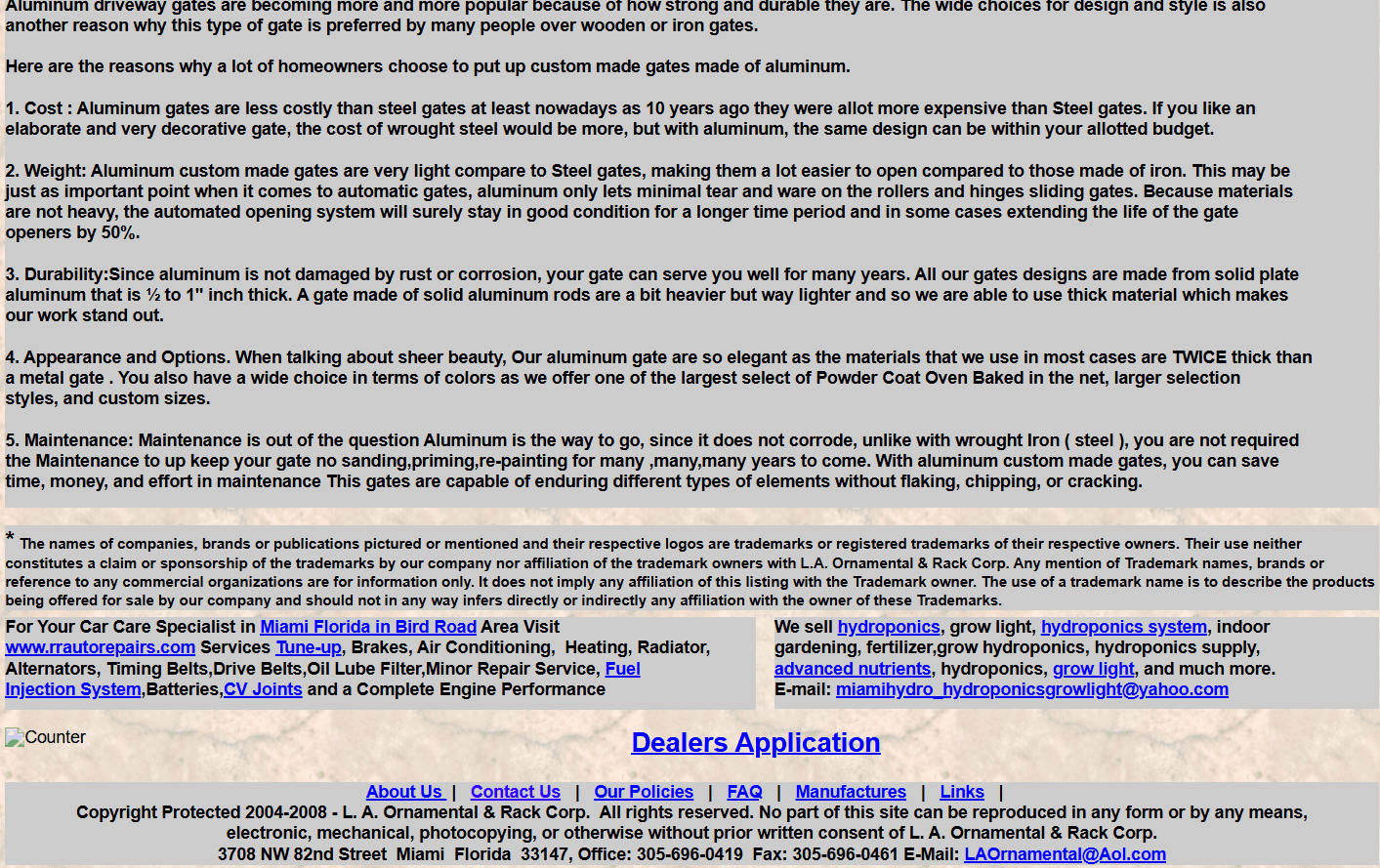
Hidden text links buried in paragraphs, unclear what can be clicked. Even hidden CTA and header navigations
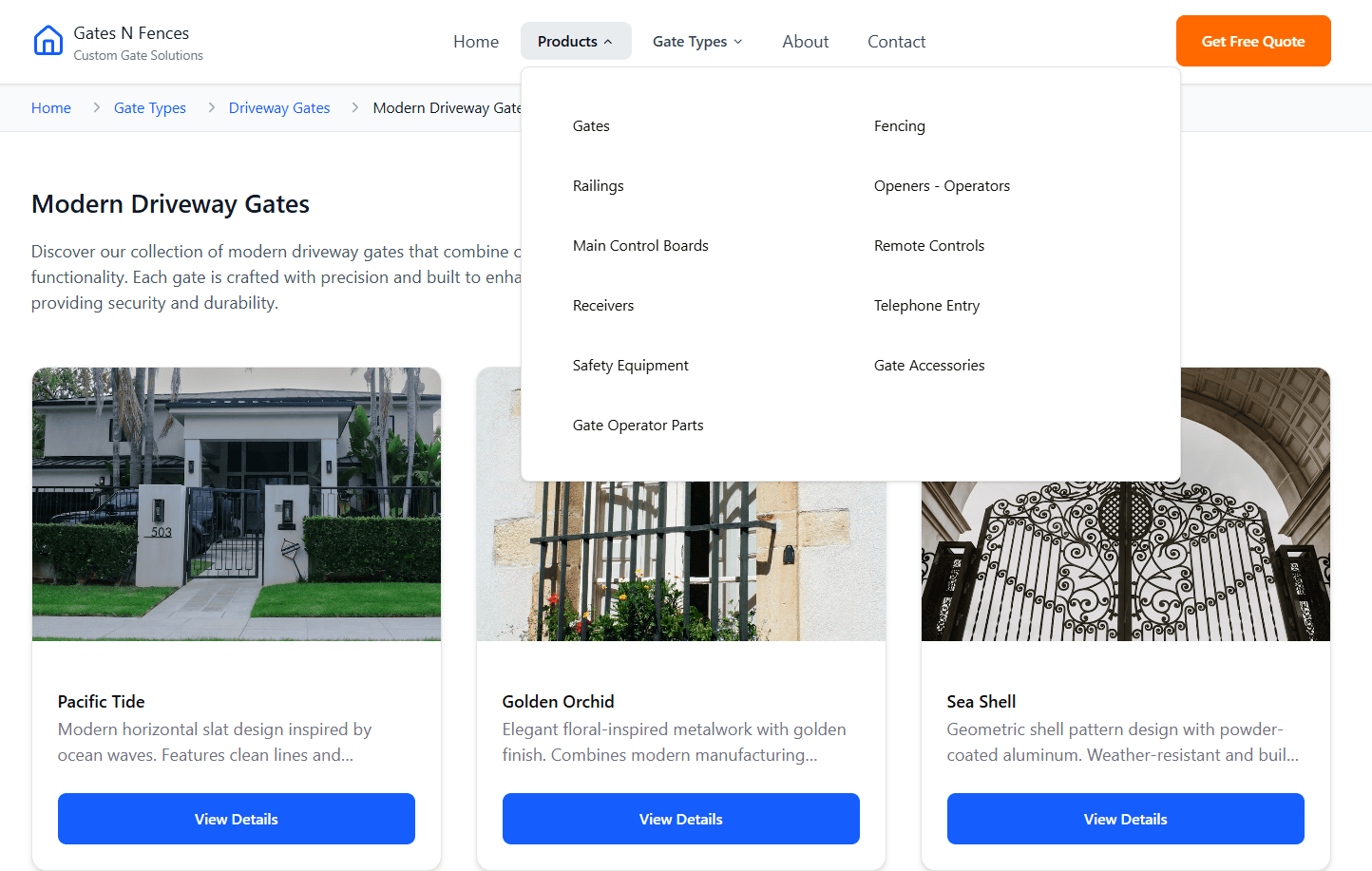
Blue color-coded buttons and hover cues clearly signal interaction and invite action. Even the drop-down signifies clearly which button to click and where to follow.
7
Mapping
It is the relationship between controls and their effects or between information layout and user expectations. When mapping is intuitive, users feel that the interface “just makes sense.”
Previous Design
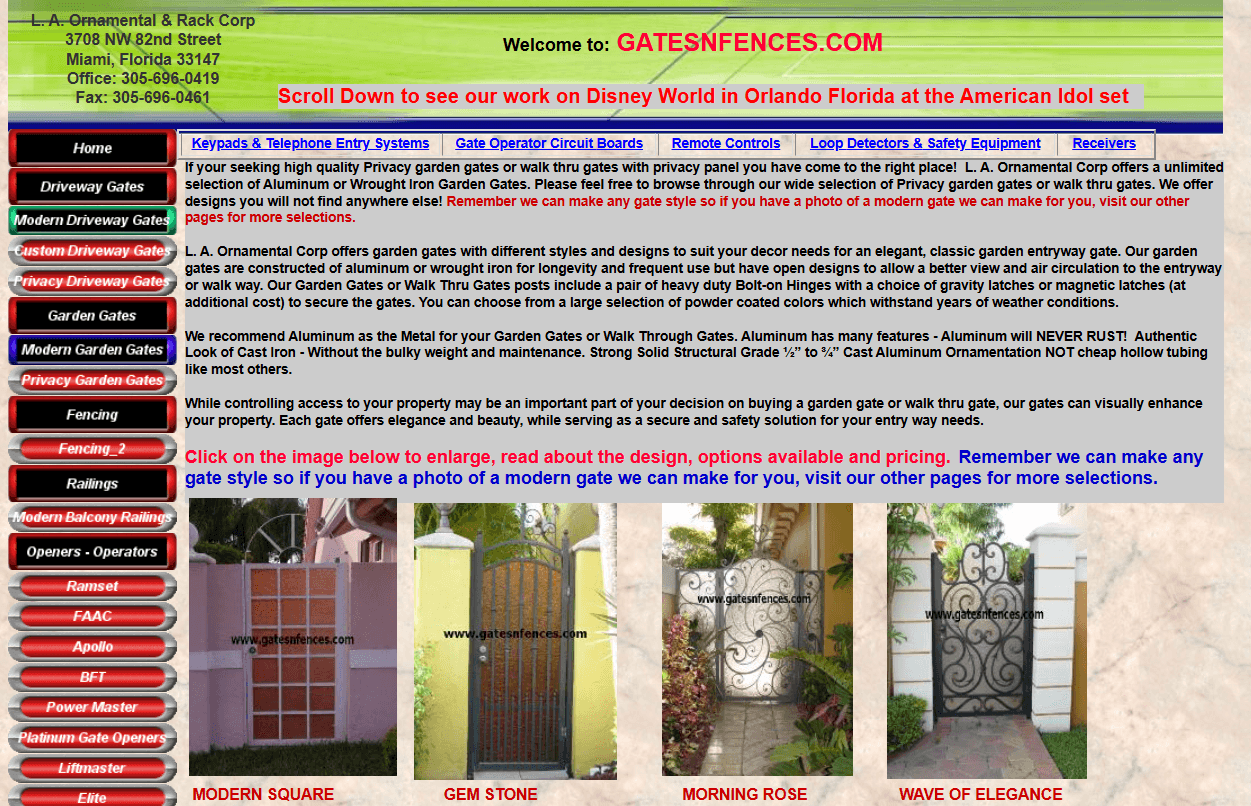
On the old website, there is a poor mapping between when user wants to choose different category products, where those actions are placed on the screen. Actions are hidden at the side bar of long text blocks, far from where users are viewing product details. Users have to figure out how to take the next step.
My Redesign
In my redesign, I used strong signifiers to improve clarity and confidence. Interactive elements now appear as buttons, coloured links with clear visual changes when hovered. These design signifiers help users quickly recognize where interaction is possible, reducing hesitation and confusion.
This layout breaks the natural flow of user intention when someone sees a gate products design they like, they should find a related action right there.
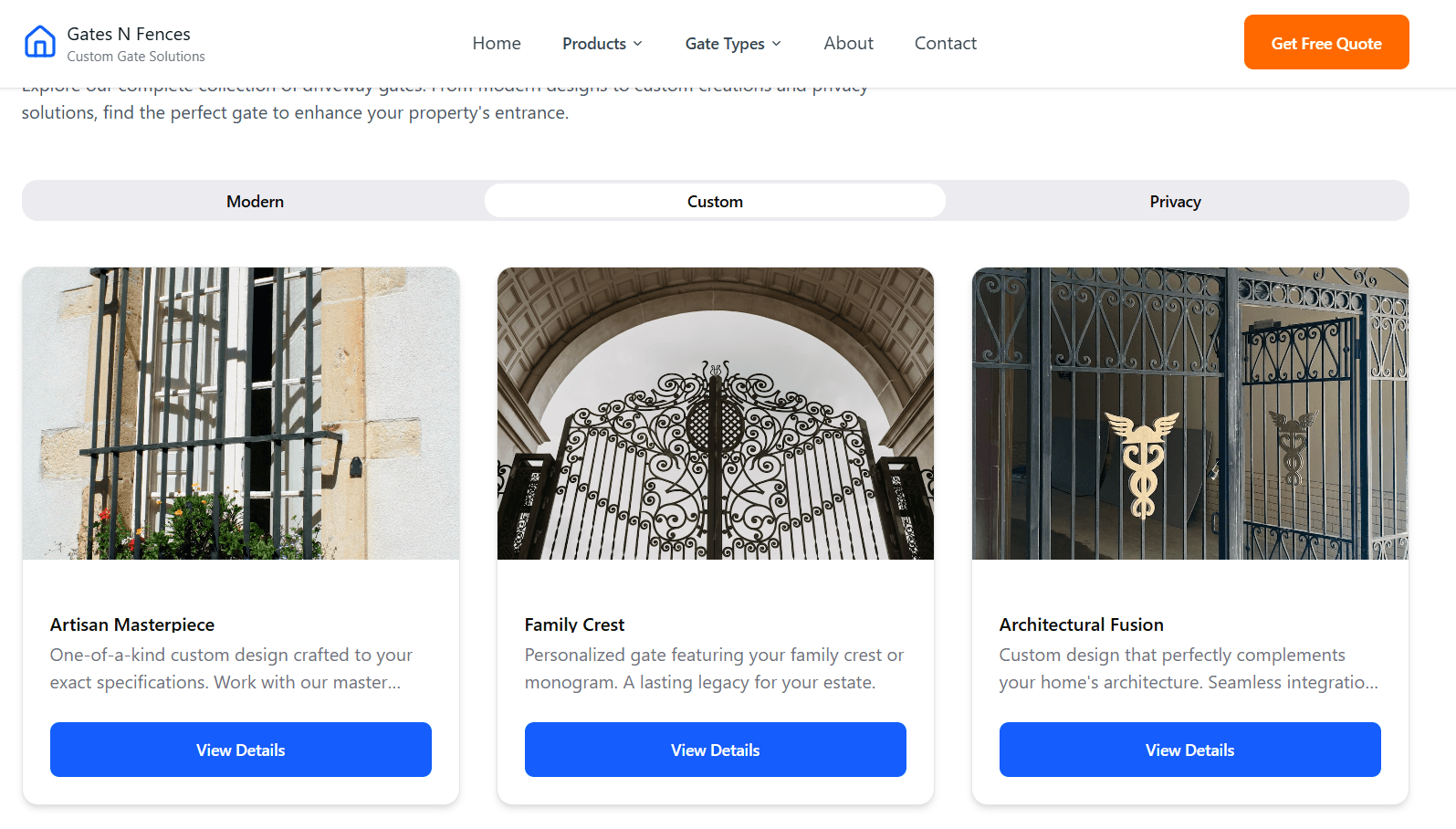
This design helps to map category easily, related actions are placed directly beside each gate design, making navigation feel natural and logical.
Reflection & Learnings
The redesigned prototype provides a strong UX foundation for the brand’s online presence.
Applying the seven design principles brought structure, engagement, and trustworthiness to an outdated interface.
Lessons Learned:
Small interaction improvements (hover states, hierarchy) drastically impact user confidence.
Consistency and mapping must be treated as top-level priorities in any redesign.
Adding constraints and feedback not only simplifies navigation but prevents confusion.
Modernizing visuals enhances brand trust and perception even before functional changes occur.
Redesign success lies in balancing aesthetic appeal with practical usability.
Design Concepts
Using Figma, I developed a modern and structured redesign applying interaction design rules throughout:
Visibility: Clear product cards, strong headings, and highlighted CTAs make navigation intuitive.
Constraints: Filters and segmented categories (Residential, Commercial, Garden Gates) guide user exploration logically.
Affordance: Interactive elements like product cards, buttons, and input fields are visually designed to suggest their function.
Feedback: Hover animations, active link states, and loading indicators give users real-time confirmation.
Consistency: Unified typography, colour palette, button styles, and iconography create a cohesive look and feel.
Signifiers: Buttons, links, and clickable cards visually stand out with shadows and hover effects, reducing ambiguity.
Mapping: Site navigation matches user intent—directing them from product discovery → selection → inquiry seamlessly.
sakshi.guides
UX Product Designer creating human-centered digital experiences that turn complex problems into intuitive solutions.
Turning pixels into purpose, one experience at a time.
Download Resume
Crafted with
+ curiosity
© 2025 Sakshi Jaju. All rights reserved.